Display List of Users
The Users table provides a list of all defined user accounts in the system. A screen capture of the Users table is shown here.
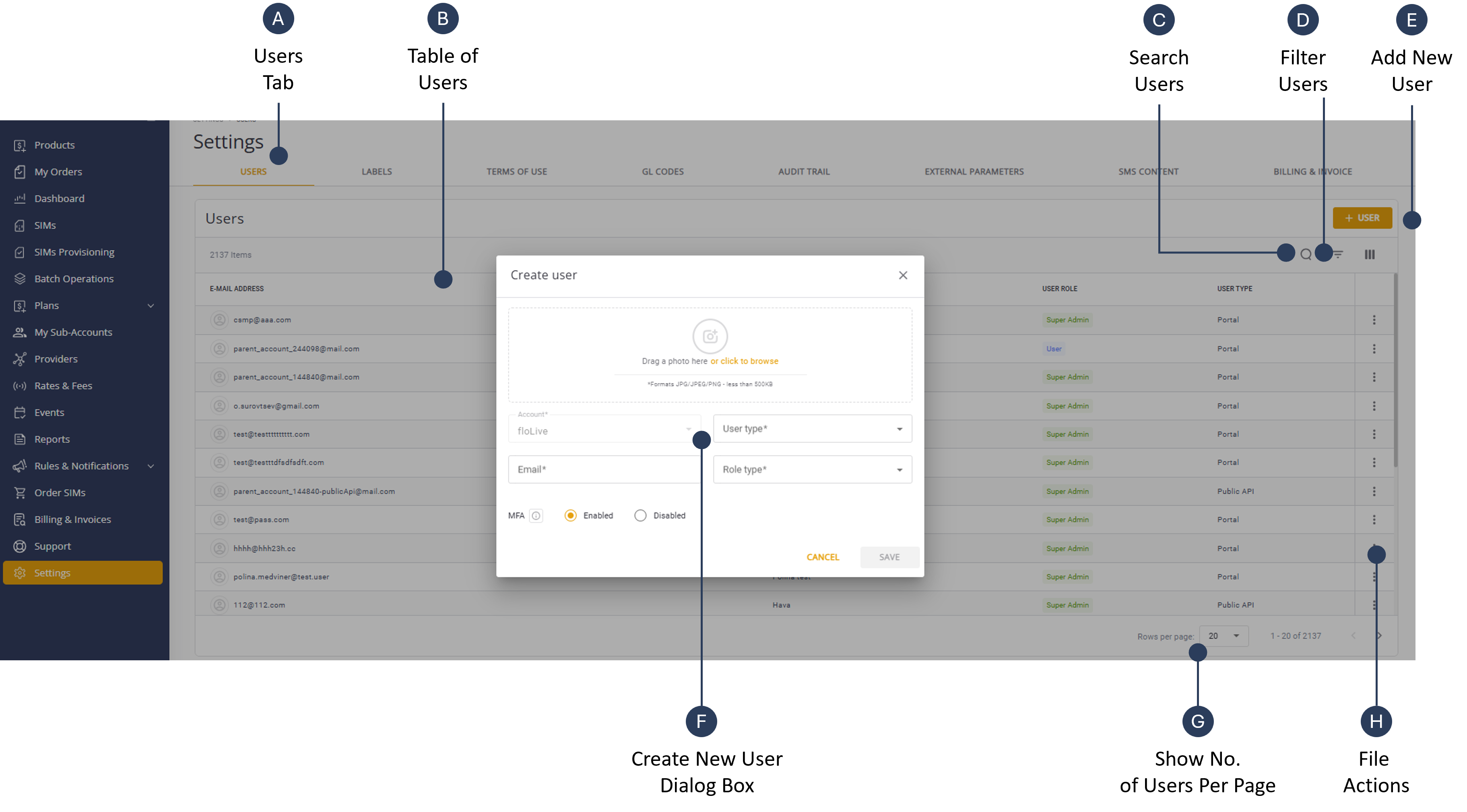
You can perform these actions on the table contents:
| Action | Description |
|---|---|
| Filter | Filters the grid based on account, role or type. |
| Search | Search for a specific user. |
| Rows per Page | Display control of how many rows to display. |
| Page Navigation | Previous and Next arrows to scroll between pages. |
| Action Control | Enables users to edit, login on behalf or delete users |
| Add New User | Creation a new user account in the system. |
To display the list of users, do these steps:
- Select Settings from the sidebar menu.
- Select the Users tab to display a list of users.
- Scroll the table of users and select the Actions control on the appropriate row.
- Use the Search control to find a user account defined in the system.
- Use the Filter control to refine list of users displayed in table.